 Math
MathHow to Play & Game Screens

1. The Main Menu
From the main menu, your child can dive right into the action or you can access the Parent Dashboard. The colorful interface is designed to be completely intuitive for young learners. Here is what you will find on the screen:
- Puzzle Area: A robot world that the kid tries to rescue by collecting math balloons to return the color to the world.
- Go Play Button: Tapping this button takes your child straight to the game modes, where they can practice math to earn magic color balloons and save the robot's worlds.
- My Worlds Button: Where the kid can find his rescued worlds and play to find missing objects.
- Settings Button: Where the limits and music are set.
- Parent Dashboard: A secure area just for parents and teachers. Here you can track the child's progress.

2. Level Selection
Math operation and robot color selection. Children can choose between Addition, Subtraction, Multiplication, and Division, and pick their favorite robot color before diving into the game.

3. Gameplay Screen
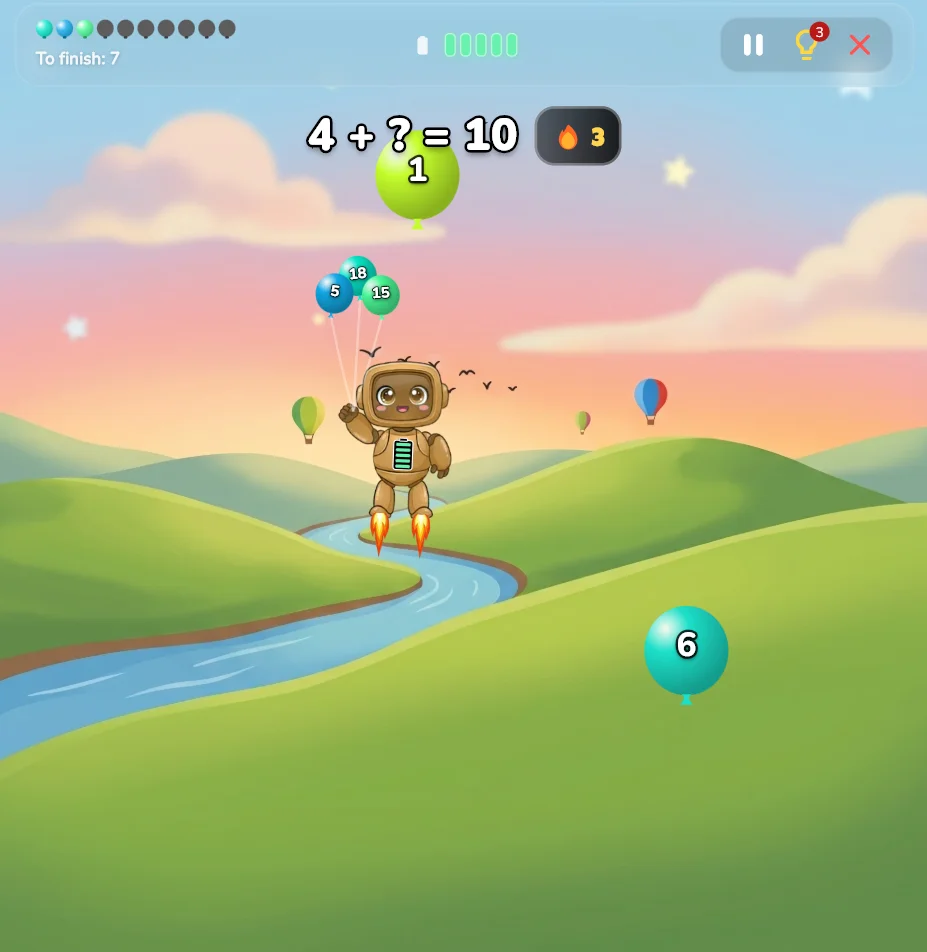
The core gameplay! A math equation appears at the top of the screen, and vibrant balloons are carrying different numbers. The player must catch the balloon with the correct answer.

4. Parent Dashboard
A secure area just for parents and teachers. Here you can track the child's progress, view accuracy rates for different operations, and use the filter functionality to view performance over the last 7 days, 30 days, 90 days, or all time.

5. Settings Dialog
The Settings screen allows you to customize the game experience to suit your child's preferences. Here is what you can adjust:
- Music Volume: A slider to increase or decrease the volume of the background music.
- Sound FX Volume: A slider to adjust the volume of the sound effects (like balloon catches and rewards).
- Credits Button: View the amazing team that brought Math Balloons Robot to life.
- Close Button: Tap the 'X' to close the settings and return to the game.
Mini-Games & Special Modes
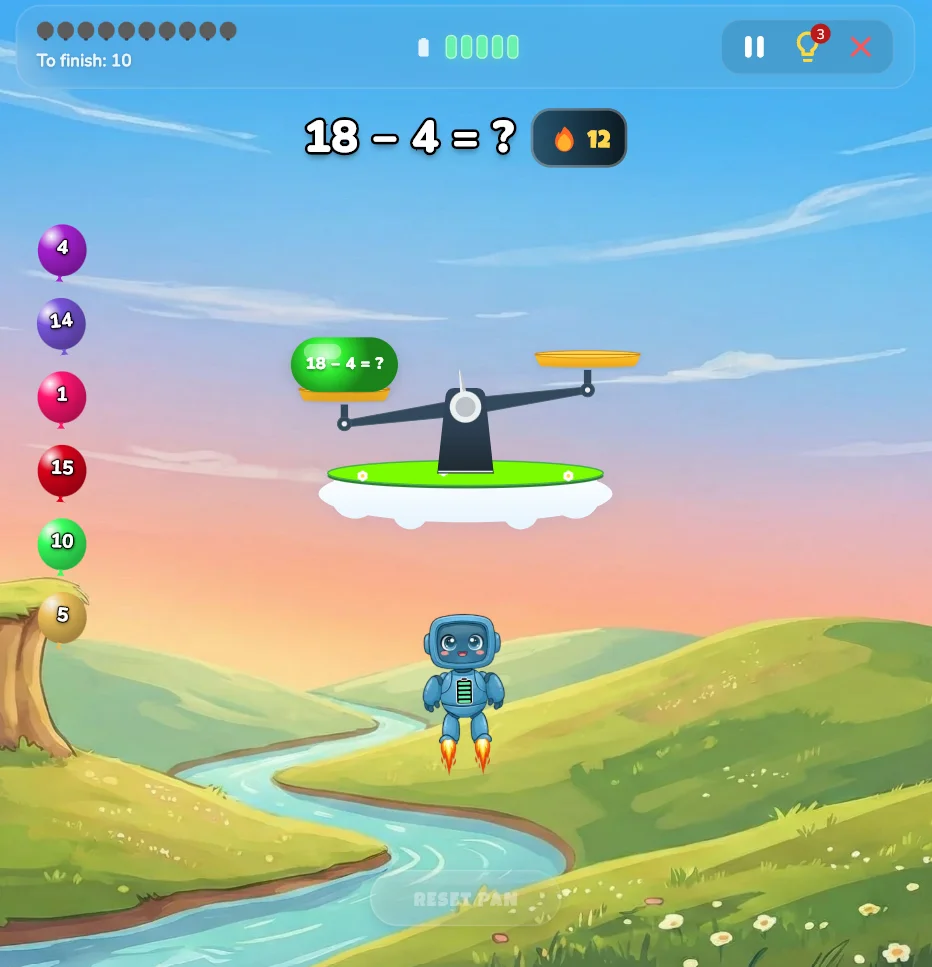
⚖️ Math Balance
How to play: A large seesaw scale appears on the screen with an equation on one side and an empty bucket on the other. Your child needs to select the correct number of balloons to drop into the empty bucket to perfectly balance the scale! This is a fantastic visual way to understand equality and equations.
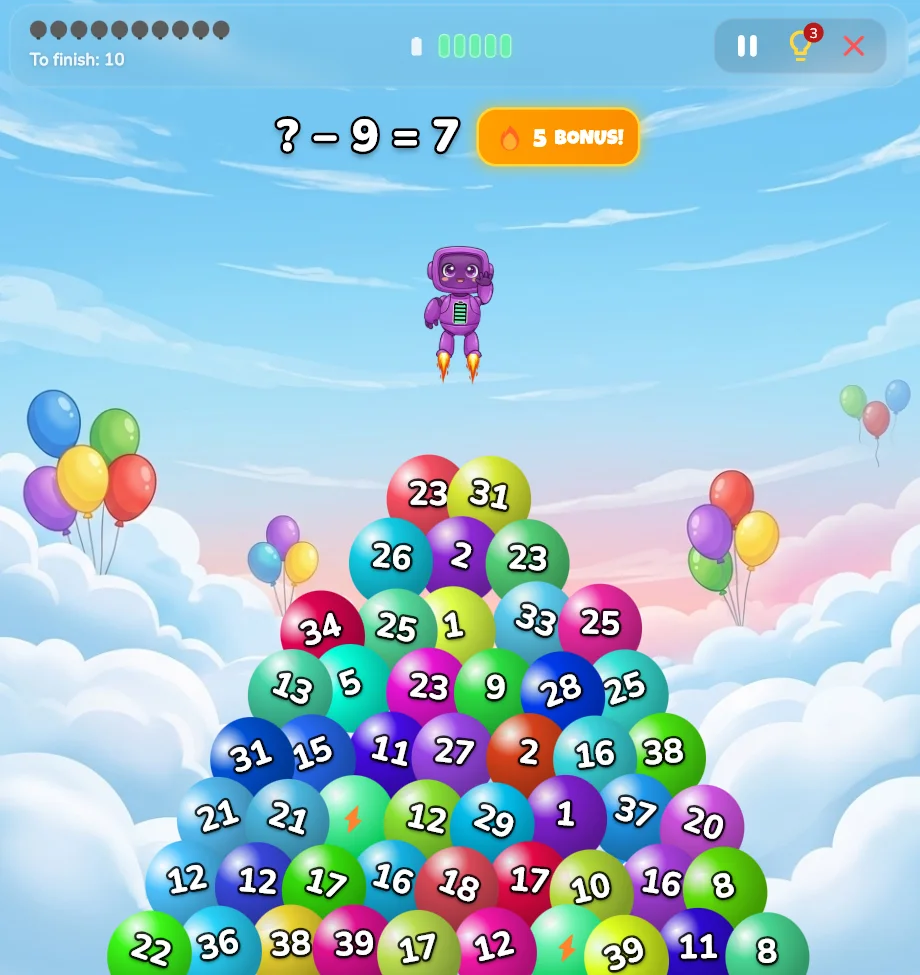
🔍 Find a Balloon
How to play: A target number or equation is given, and a massive cluster of balloons floats onto the screen. Your child must scan the crowd and tap the single balloon that carries the correct answer. There is no timer, so players can take their time to carefully find the right one. It tests both math skills and visual perception!
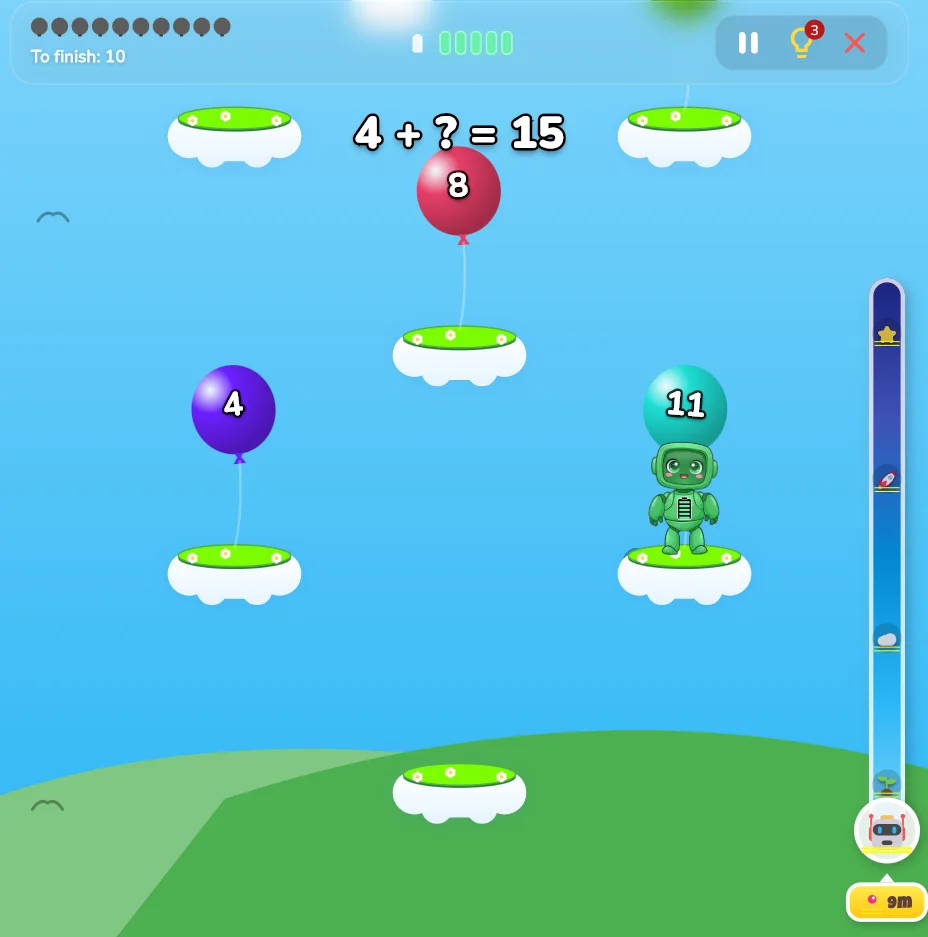
☁️ Sky Hopper
How to play: Help the robot hop upwards from cloud to cloud! To jump to the next cloud, you can either tap the balloon carrying the correct answer, or tap directly on the cloud itself. As you climb, the camera moves up. In Medium and Hard difficulties, the screen scrolls automatically—if you take too long to solve the math and let the robot fall out of the bottom of the screen, you lose the game!
🌧️ Rain Catcher
How to play: Raindrops carrying numbers are falling from the sky! Your child can move the robot freely left and right across the screen to catch the specific numbers that complete the target equation. Be careful—avoid catching the wrong numbers, and make sure not to let the correct number fall all the way to the ground!
⚡ Energy, Streaks & Mistakes
The Robot's Energy Bar: The robot has a battery energy bar at the top of the screen. If your child selects a wrong answer, or if they miss the correct balloon/raindrop and let it reach the ground, the robot loses energy! If the energy bar runs completely empty, the game is "OUT OF ENERGY" and the round ends.
What happens when you make a mistake? Math Balloons Robot is designed to be a positive learning environment. When a wrong answer is selected, there are no scary buzzers! The balloon simply floats away or the robot loses a little energy, and your child is encouraged to try again. However, making a mistake will reset their current Streak to zero.
The Hot Streak Feature: Answering equations correctly in a row builds a "Hot Streak" (indicated by a 🔥 icon). Building a high streak shows incredible focus and consistency! The game saves the "Best Streak" for each game mode so children can constantly try to beat their own personal best.
Have a different question? Check our FAQ page or Contact Support.